Chrome 149: do you know which devices actually updated?
Google's Chrome 149 desktop update includes 429 security fixes. For admins, the useful question is simple: which devices actually updated?
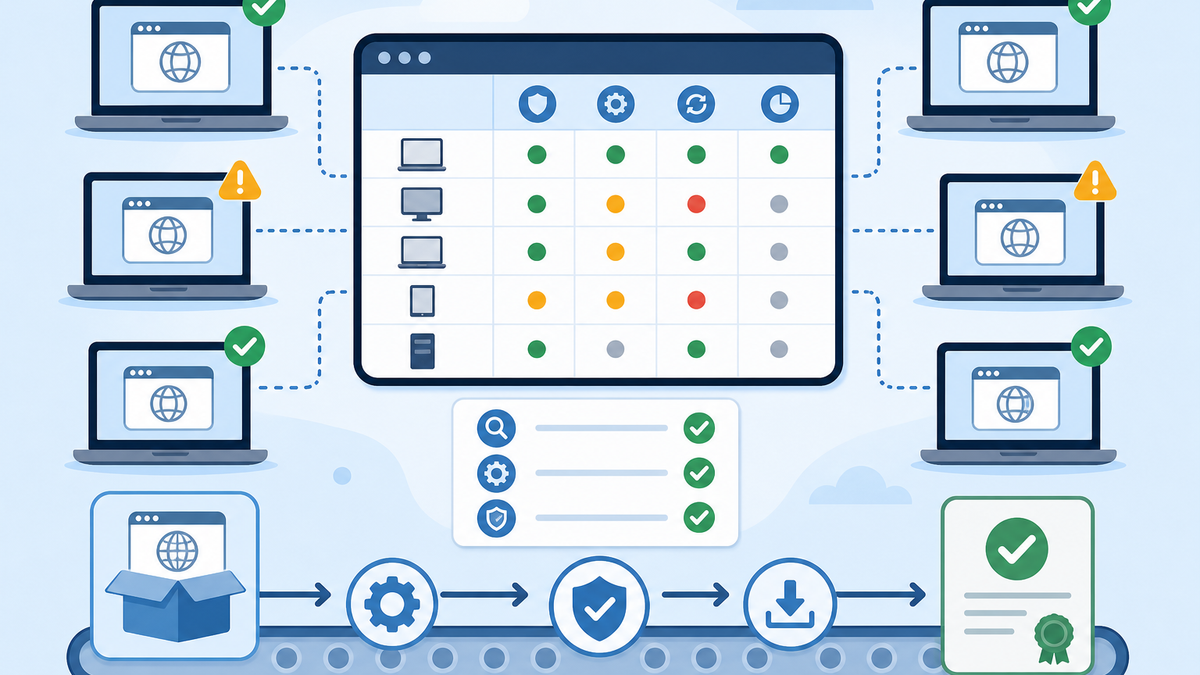
Google shipped a Chrome desktop update with a number that should make admins pause: 429 security fixes.
The release is Chrome 149.0.7827.53 for Linux and 149.0.7827.53/.54 for Windows and Mac. Google says the update includes 429 security fixes. It also notes that some bug details may stay restricted until most users have received the fix, or when the same bug exists in a third-party library that other projects still need to patch.
I would not turn that into panic. I also would not shrug and say, "Chrome updates itself."
For an endpoint admin, the useful question is simple: which devices actually updated?
Browsers are managed software now
Chrome is not a small utility sitting off to the side. It is where users authenticate, open SaaS apps, download files, use extensions, approve prompts, and sometimes handle work that used to live inside thick client apps.
If Chrome is behind, the device is behind, even if Windows or macOS is fully patched.
Google's own Chrome Enterprise update guidance says Chrome releases a full browser update about every six weeks, with minor updates such as security fixes and software updates every two to three weeks. Google recommends automatic updates instead of manual updates so users receive critical security fixes as they become available on the Stable channel.
Some managed environments still control that more tightly. Google documents options to disable Chrome browser updates and to pin Chrome to a major version or an exact version. I understand why admins do it. They may be protecting a testing window, a legacy web app, a lab image, a kiosk workflow, or a business process that breaks when the browser changes under it. The risk is letting a temporary hold become the normal state.
That recommendation is reasonable. But automatic update is not verified coverage. Devices get powered off. Users ignore relaunch prompts. Services get blocked. Managed packages drift. Lab machines and shared devices sit unused until someone needs them five minutes before a class or meeting.
The question is not whether Chrome has an updater. The question is whether you can prove what version is actually installed.
The report I would want first
Before I changed a policy or rebuilt a package, I would want a simple report:
- Device name
- User or assigned owner, if known
- Platform
- Installed Chrome version
- Last inventory check-in
- Whether Chrome is managed or unmanaged
- Whether updates are automatic, pinned, or intentionally disabled
- Whether the device is in a test, pilot, production, lab, kiosk, or shared-device group
- Whether the device has missed the current target version
That report gives you something useful immediately. It separates devices that already updated from devices that need attention. It also gives you a way to spot the usual problem children: offline machines, stale lab devices, machines with broken update services, and managed installs that nobody has revised in too long.
For this release, the target I would use is the current stable version from Google's release note: 149.0.7827.53 or later on Linux, and 149.0.7827.53/.54 or later on Windows and Mac.
If you cannot answer that across your fleet, fix the reporting gap first.
Do not confuse rollout with coverage
Google says Chrome updates roll out, and enterprise admins can customize update deployment for larger fleets, bandwidth-constrained sites, testing, staged rollouts, and relaunch behavior.
Those controls help, but they do not replace coverage reporting.
A clean browser update process should let you answer three questions without guessing:
- What version should we be on?
- Which devices are not there yet?
- What is the reason for the gap?
The reason matters. An offline device is different from a device where auto-update is disabled. A shared cart machine with no check-in for two weeks is different from a developer workstation pinned for compatibility testing. A managed Chrome package needing a Fileset revision is different from a user who just needs to relaunch the browser. If a version hold is intentional, it should have an owner and an end date.
Those distinctions keep the follow-up sane.
Where FileWave fits
FileWave's role here is the loop: package assignment, configuration, inventory, and follow-up. If one part of that loop is fuzzy, Chrome is a good place to find out.
On Windows, the Google Chrome Managed recipe notes that WinGet is built into FileWave and that Google Chrome is available through WinGet. That keeps the basic packaging work from turning into a separate project. A standalone installer or Fileset Magic path is still available when that fits the environment better.
On macOS, the integrated AutoPkg workflow can create software Filesets directly in FileWave. You can choose the latest version or a specific version, which matters if you intentionally hold Chrome during testing. The Google Chrome Managed macOS recipe still matters for the management token and deployment grouping, but Chrome itself does not have to become a hand-built package every time.
For reporting, I would not stop at "Chrome installed: yes." Build the view you actually need. Start with the device name, platform, installed Chrome version, and last inventory check-in. Then add the environment-specific pieces that explain the gaps: update channel, managed or unmanaged state, intended update method, exception owner, and hold-until date. If those values are not already in inventory, Custom Fields are the right place to extend it.
From there, use Inventory Reports to make the work repeatable. The same query logic can also feed Smart Groups, so the follow-up is not a spreadsheet someone forgets to revisit. You can separate machines that need the current Chrome package, machines that are intentionally pinned, machines that have not checked in recently, and machines where Chrome is present but unmanaged.
That gives the admin a real workflow: detect the version, group the exceptions, remediate the right way for each group, and verify again after inventory updates.
A practical checklist
If I were reviewing this update in a customer environment, I would start with these checks.
First, confirm the target version from Google's Chrome release note. Do not rely on a screenshot, a forwarded message, or an old package name.
Second, report the installed Chrome version across Windows and macOS. Include last check-in. A device that has not reported inventory in ten days is not the same problem as a device that checked in this morning and still has the old browser.
Third, split the results by expected update path. Chrome's own updater, a WinGet-backed Fileset, an AutoPkg Fileset, and a manually maintained installer all have different failure points. Treat them differently.
Fourth, name the intentional exceptions. If a lab, kiosk group, VDI image, or developer workstation is pinned for testing or compatibility, give that hold an owner and an end date. Otherwise the exception becomes invisible debt.
Fifth, follow up on the machines still behind after a reasonable window. Check last inventory check-in, relaunch behavior, update services, package assignment, and whether the device is actually still in use.
Sixth, keep browser patching visible after this release. Chrome security updates are not rare. Google's own guidance says minor updates happen every two to three weeks, so this should be a recurring report, not a one-time scramble when the release note has a big number in it.
What I would tell leadership
Google released a Chrome desktop update with 429 security fixes. Chrome should update automatically in many environments, but we are verifying coverage instead of assuming it. We are checking installed versions across managed devices, separating current machines from stale ones, and following up where auto-update or package deployment did not produce the expected result.
That message is better than "everyone should update Chrome," because it says what you are actually doing.
Browser updates are fleet management work now. If your inventory can show which Chrome versions are installed, you can act. If it cannot, this release found a reporting gap worth fixing.
Sources
- Google Chrome Releases: Stable Channel Update for Desktop
- Google Chrome Enterprise Help: Manage Chrome updates
- FileWave KB: Google Chrome Managed (Windows)
- FileWave KB: Google Chrome Managed (macOS)
- FileWave KB: AutoPkg - FileWave Integrated
- FileWave KB: Custom Fields
- FileWave KB: Inventory Reports