Set the Windows backup policy, then test restore before 26H2
Windows 11 26H2 changes settings backup for eligible devices left Not Configured. Record the intended state by role and user cohort, then test the correct restore path.
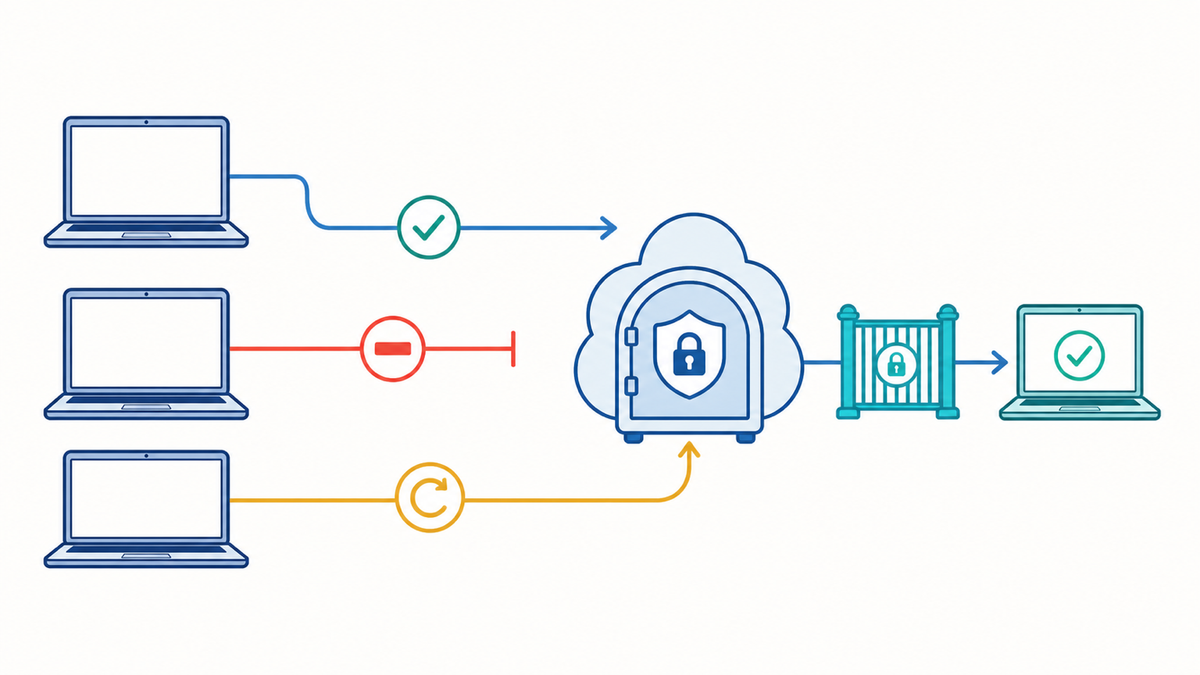
Windows 11 26H2 will turn settings backup on by default for some managed devices when the backup policy is left Not Configured. An explicit enable or disable still takes precedence. Restore stays off until you enable it separately.
Many fleets have the backup policy set to Not Configured without anyone choosing that state. On eligible devices, 26H2 will apply Microsoft's default. Before the release reaches your pilot group, record whether settings should be backed up, whether restore is allowed, and who owns the answer.
For a solo or small K-12/SMB endpoint team, this can be a short decision record followed by separate backup and restore tests on representative hardware.
Know what Windows is preserving
Microsoft calls the feature Windows settings backup and restore. It preserves user settings, preferences, and the list of installed Microsoft Store apps for eligible work or school accounts. Microsoft says the scheduled backup runs every eight days, and a user can also start one manually.
This is not a full device image or a general file-backup product. Do not assume it will restore Win32 applications, files, certificates, VPN configuration, security agents, or anything else your normal deployment and data-protection workflows own. Keep those items in their existing recovery paths.
As of August 19, 2026, Microsoft says the new default is available to Windows Insiders and will reach general availability with Windows 11 26H2 later this year. The default-on announcement applies to devices running 26H2 or later in supported commercial clouds and regions outside the EU Digital Markets Act scope, with the backup policy still set to Not Configured. Explicit policy continues to take priority. Devices originally running 26H1 receive the default-on behavior with their following feature update. Recheck this scope when 26H2 reaches general availability.
The default-on conditions are narrower than the feature-support conditions. Microsoft's current backup requirements include a user signed in with Microsoft Entra ID on an Entra-joined or hybrid-joined device running a supported build. A device may support settings backup without being eligible for the inherited default.
Users can also turn off Remember my preferences or Remember my apps unless an administrator restricts those controls. Those options affect the content saved, and Microsoft says they also control Enterprise State Roaming, whose management moved into Windows settings backup and restore in July 2026. Record the intended content scope even when the policy is Enabled.
Classify the policy by device role
Use device role as the unit when policy targeting follows the device. For shared devices or user-targeted policy, record the user or account cohort too. A staff laptop, shared lab computer, testing device, kiosk, and developer workstation may need different answers, and the same shared device may behave differently for different account types.
For each role, record:
- Backup decision: explicitly enabled, explicitly disabled, or intentionally inherited.
- Restore decision: enabled or disabled.
- Content scope: preferences, Microsoft Store app list, and whether users may change those choices.
- Policy source: Group Policy or MDM/CSP.
- Reason and owner.
- Eligibility limits, including Windows version, join state, region, cloud, user type, and account cohort.
- Representative pilot device and test account.
- Last backup date, result, and evidence.
- Last restore date, result, and evidence.
- Exception owner and next review date.
- Microsoft requirements last reviewed.
Leave a role inherited only when someone has consciously accepted Microsoft's default and owns the next review.
Microsoft warns against mixing Group Policy and CSP settings for this feature because the combination can produce unexpected results. Before the pilot, audit GPO links and MDM assignments, remove duplicate management, and document the intended source. Do not assume one source wins. Verify the assignment and observed behavior on the target build.
If privacy, data residency, or account-retention rules affect the decision, hand that question to the person who owns those rules. For a small business that may be the owner or legal counsel. In a school it may be the district's data-governance contact. Disabling backup stops future scheduled backups, but Microsoft says existing data remains in the organization's tenant data store until it is deleted separately. The existing data can also be viewed or exported. Add backup-profile cleanup to account offboarding rather than assuming policy removal deletes the data.
Choose the restore path before testing
Microsoft documents two restore paths with different requirements:
- Out-of-box setup: The target device must be Entra joined. If Autopilot is used, Microsoft requires user-driven mode rather than self-deploying mode. The restore policy must be available during enrollment; a normal policy delivered later may miss this screen.
- First sign-in after enrollment: As of August 19, Microsoft lists Windows 11 24H2 build 26100.7922 or 25H2 build 26200.7922 and later. The device may be Entra joined or hybrid joined, must already have completed enrollment, and the user's first sign-in must use the same work or school account that owns the backup profile.
Check the current Windows settings backup and restore matrix before testing because these builds and requirements can change. If your management system cannot deliver the restore policy at enrollment, use the supported first-sign-in path instead of treating a missing OOBE prompt as a product failure.
Test backup and restore separately
Use a spare or nonproduction device that represents one real role, plus an authorized test work or school account. Do not wipe a user's production laptop to prove the feature works.
- Confirm the test device and account cohort meet Microsoft's current backup requirements and that the policy state and content scope match the decision record.
- Start a manual backup or wait for the scheduled task. Record the time, account, device, Windows build, and reported result.
- Confirm that a backup profile exists for the test account. A successful policy assignment is not enough.
- Check Microsoft's prerequisite policies before changing anything. Backup will not run when its documented Activity Feed, user-activity, connected-device, or Connected Devices Platform (CDP) prerequisites are disabled. Conditional Access can separately block the restore token. Preserve the existing policy intent and route any conflict to the policy or identity owner.
- On a second test device, or through an authorized reset of the lab device, deliver the restore policy early enough for the chosen out-of-box or first-sign-in flow.
- Sign in with the same test account, select the expected backup profile, and record exactly which settings and Microsoft Store apps return.
- Check the managed items Windows settings backup does not claim to own. Your normal app deployment, policy, certificate, security, and file-recovery workflows should restore those independently.
- Repeat the test for another role or account cohort only when its join state, account type, policy source, content scope, or recovery path is materially different.
The WindowsBackupAndRestore CSP exposes restore status and a restore-flow timestamp on supported Windows 11 builds. Microsoft does not document the possible status values on that page and warns that some CSP settings remain under development. I would not use those fields as compliance proof without validating them on the target build.
A passing test should list the settings that returned, the Store apps that returned or needed another action, how long the process took, what failed, and which deployment path handled the rest of the device.
Keep the decision visible
I work for FileWave. I would use administrator-provided Custom Fields with restricted values for intended backup state, intended restore state, owner, and test result. Report where observed behavior differs from the recorded decision and where restore has never been tested. I would keep the result manual until I had a tested, supported local data source rather than inventing backup telemetry from a policy assignment.
The same record works in another endpoint system, a CMDB, or a small spreadsheet. The important fields are the intended state, the observed state, the recovery result, and the person who owns the exception.
Do not move 26H2 beyond the pilot until each affected role and account cohort has a recorded policy decision and a tested restore path.