Googlebook questions for endpoint admins
Googlebook is a novel Gemini-first laptop category, but the endpoint-management questions are familiar: inventory, policy, licensing, AI controls, transition paths, and support boundaries.
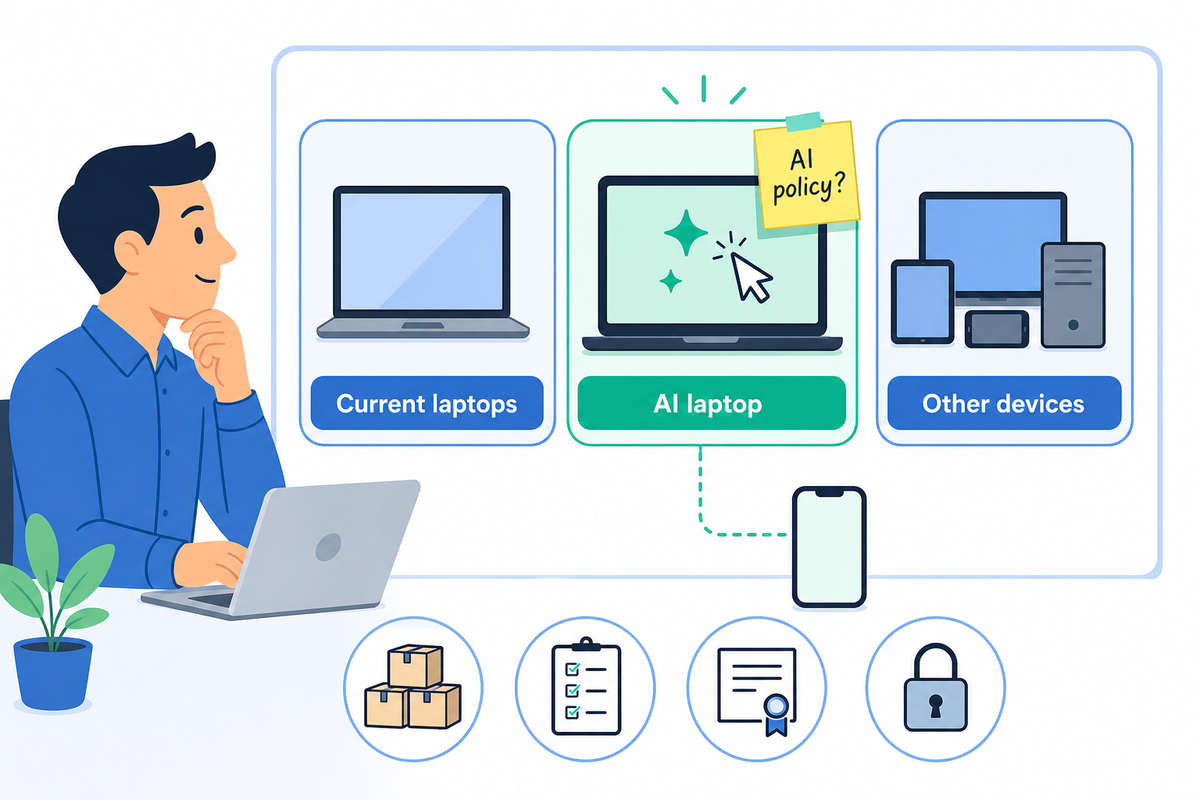
Googlebook got my attention. Not because everyone needs to run out and buy one, and not because the laptop market suddenly became exciting. It got my attention because a new device category usually means admins get stuck cleaning up the messy parts.
Google is positioning it as a new category of laptops built around Gemini Intelligence, Android's app ecosystem, ChromeOS strengths, phone continuity, and premium hardware. The flashy parts are easy to understand: Magic Pointer, Gemini-aware context, phone files available from the laptop, Android apps that feel closer to local, and a desktop that can generate widgets from a prompt.
That is the fun version. If you manage endpoints, the more useful reaction is less glamorous: what exactly will I have to manage, license, inventory, restrict, report on, and support?
Googlebook looks bigger than a Chromebook name change
Google's own announcement frames Googlebook as something bigger than a branding exercise. The company says Chromebooks were built for a cloud-first world, and Googlebook is built for what it calls an intelligence system. It describes the device category as designed from the ground up for Gemini Intelligence, with Android tech stack pieces, Chrome browser strengths, Android phone integration, and premium hardware from laptop partners.
That does not mean Chromebooks suddenly stop mattering. After the announcement, Google told enterprise and education customers that Chromebooks remain a reliable long-term investment. It said ChromeOS will continue to receive 10 years of automatic updates, current fleets can still be managed through the Google Admin console, and organizations will not need new licenses to keep managing existing Chromebooks.
Those reassurance notes are important. Google knows schools and businesses do not buy laptops as vibes. They buy fleets, support models, licenses, accessories, repair processes, and predictable replacement cycles.
The admin questions are the interesting part
The consumer question is whether Googlebook is cool.
The admin question is whether it creates a clean fleet story or another category you have to explain every budget season.
Before anyone gets too excited, I would want answers to a few boring questions:
- Will Googlebooks live in the same Admin console workflows as Chromebooks, or will some settings move because of the Android foundation?
- Which policies control Gemini Intelligence, Magic Pointer, screen context, phone app access, and file continuity?
- Can admins separate "useful AI assistance" from "please do not let this laptop inspect everything a student or employee points at"?
- What inventory fields will distinguish Chromebook, Googlebook, ChromeOS, Android-based laptop experience, AI-capable hardware, and transition eligibility?
- How will Google handle existing Chromebook fleets that may be eligible to transition later?
- What happens in K-12, where affordable Chromebooks, shared carts, repairability, testing controls, and predictable management matter more than premium polish?
None of those questions are anti-Googlebook. They are the questions you ask if you have ever had to support a device category after the keynote ends.
AI at the cursor changes the policy conversation
Magic Pointer is the feature that jumped out to me. Google says users can wiggle the cursor and have Gemini offer contextual suggestions based on what they point at on screen.
That may be genuinely useful. It also changes the policy conversation, because the cursor is everywhere. Email. Student work. HR systems. Financial apps. Browser tabs. Internal documents. Screenshare windows. The more useful an AI assistant becomes, the more important it is to know what data it can see, what happens locally, what goes to cloud services, what gets logged, and what an admin can turn off.
Endpoint management and AI governance meet right at that cursor. A laptop is no longer only a managed device running apps. It is potentially a managed device with an assistant watching context across the working surface.
That can be fine. It might even be the future. But "fine" requires policy, visibility, and user expectations that are written down before rollout.
ChromeOS continuity is reassuring, but not a plan
Google's message to existing Chromebook customers is sensible: no immediate action, continued ChromeOS support, existing Google Admin console management, and future transition pathways.
That is good. It is also not enough for admins to stop thinking.
If you manage Chromebooks today, I would start by treating Googlebook as a future fleet segment and building the questions into your planning now. Which users would actually benefit from a premium AI-first laptop? Which environments should avoid it at first? Which policies would need to exist before a pilot? Which support teams need training? Which reporting fields would you want in inventory?
For a school, that may mean Googlebooks are not a student-cart device at all. They may start as staff, IT, media, administration, or specialized program devices. For a business, they may fit knowledge workers who live in Google Workspace and Android, but not teams that depend on Windows-only apps or tightly controlled desktop workflows.
The wrong move is assuming "managed like Chromebooks" answers every question. It answers some of them. The rest need a pilot.
Where FileWave fits in the conversation
FileWave + Chromebook is a good example of where this gets useful. You can keep Google Admin doing what it does, but FileWave gives you the single pane of glass beside your other devices, with inventory, reporting, custom fields, exports, location views, and a reporting interface that is nicer to live in day to day.
With Google moving Googlebook toward what appears to be an Android-based approach, this could line up nicely with what FileWave already has in Android EMM. If that is how Google ships it, FileWave should be able to support Android, Chromebook, and Googlebook in the same common FileWave interface. We just need the real details from Google before pretending that is settled.
That is the piece we are watching at FileWave. The admin question is not just "what is Googlebook?" It is "will this fit into the management stack I already use, or is it going to create another weird corner of the fleet?"
What I would do before buying any
I would not build a procurement plan from the announcement. Too many details are still coming later in 2026.
But I would start a short planning note now:
- Current Chromebook fleet size, models, auto-update expiration dates, and license state.
- Which roles might need an AI-first laptop and which absolutely do not.
- Required policies for Gemini, screen context, phone continuity, app access, browser controls, camera, microphone, USB, printing, and data loss prevention.
- Inventory fields needed to identify Googlebook hardware, transition eligibility, AI capability, and support status.
- Pilot group criteria and success metrics.
- Support boundaries for Android apps, phone pairing, AI behavior, and account context.
- A communication plan for users so the AI features do not feel like surprise surveillance.
The last one is not soft. It is operational. If a device can look at more context, users deserve a clear explanation of what it can see and what the organization controls.
My read
Googlebook is interesting because it is not only another laptop. It is Google trying to make the laptop feel native to an AI-and-phone world instead of bolting those ideas onto the side.
For endpoint admins, that makes it worth watching. It also means the first good conversation is not specs. It is management.
If Googlebook ends up being manageable, explainable, and cleanly separated from existing Chromebook workflows where needed, it could become a serious option for some fleets. If the management story is vague, admins should keep it in the lab until the boring questions have boring answers.