Check the full MDM path before Apple 27
Apple 27 may refuse management-related connections that fail newer TLS and ATS requirements. Confirm your MDM/UEM platform is ready, then check the proxies, certificates, custom domains, and network paths around it.
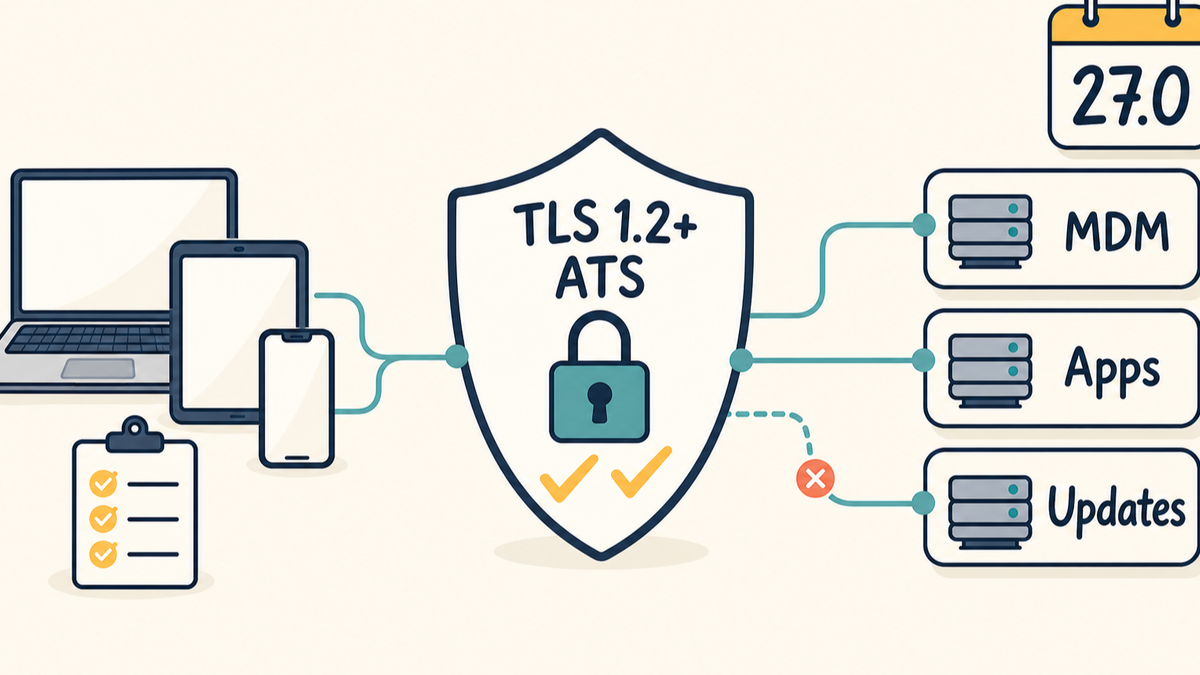
If you manage Apple devices, this is one of the Apple 27 changes I would check before rollout season.
Starting with version 27.0 of iOS, iPadOS, macOS, watchOS, tvOS, and visionOS, Apple says some managed-device connections may be refused when the server does not meet stricter TLS and App Transport Security requirements.
This affects the management path: MDM, UEM, Automated Device Enrollment, Declarative Device Management, profiles, managed apps, enterprise app distribution, and software updates.
Check whether your managed Apple devices can still reach the services they depend on after version 27 lands.
Start with your MDM or UEM vendor
If your MDM/UEM product is cloud hosted, ask the vendor whether its hosted service endpoints meet Apple's stricter TLS requirements. If your environment is self-hosted or on-premise, check the vendor's supported versions and server OS requirements.
Get a straight answer before you start testing every device workflow:
- Is the MDM/UEM service compatible with Apple's version 27 TLS and ATS requirements?
- Is there a minimum product version you need to run?
- Are hosted service endpoints handled by the vendor?
- What customer-controlled endpoints still need to be tested?
- Does your deployment use proxies, load balancers, TLS inspection, custom hostnames, custom certificates, or separate app distribution URLs?
That last part is where a lot of real environments get messy. The vendor can be ready and the path can still fail because something in front of, beside, or behind the product is presenting TLS to the device.
What Apple is requiring
Apple's WWDC26 device management update page lists stricter network security requirements for device management, enrollment, profile installation, app installation, and software updates.
Apple's separate support article lists the server-side requirements:
- TLS 1.2 or later
- ATS-compliant cipher suites
- valid certificates that meet ATS standards
Apple's ATS developer documentation has the deeper certificate and cipher details if you need them.
Apple lists two exceptions. SCEP connections are excepted while installing a configuration profile or resolving a DDM asset. Content caching servers are also excepted, even when they request assets for app installation or software updates.
FileWave status today
FileWave has a public KB article for this: Prepare FileWave Server and Booster for Apple's stricter TLS requirements.
The KB says FileWave Server and Booster have supported compliant TLS 1.2 for many years. Apple's requirement is TLS 1.2 or later with ATS-compliant cipher suites and certificates, so a supported FileWave Server or Booster is not non-compliant just because it does not yet offer TLS 1.3. TLS 1.3 is preferred by Apple when available, but it is not required for Apple's validation.
Current supported FileWave deployments meet the requirement. That does not automatically validate every customer environment. FileWave can manage the FileWave side of the path. You still need to check anything you control that Apple devices contact directly or that terminates TLS before traffic reaches FileWave.
If you run FileWave on-premise
For an on-premise FileWave Server or Booster, focus on operational readiness.
Run a current, supported FileWave version. Run it on a current, supported server OS. Keep Boosters current too, especially any Booster that Apple devices reach directly for apps, manifests, Kiosk/App Portal traffic, or content delivery.
Then check the device-facing TLS path:
- the FileWave Server URL
- externally reachable Booster URLs
- reverse proxies or load balancers
- custom FileWave hostnames or domains
- manually managed certificates
- internal and external DNS paths
- staging, test, or disaster recovery environments that Apple devices may use
FileWave's on-premise server guidance also calls out the basics that still matter: use a fully qualified domain name, make sure the server certificate includes the chosen server name as a Subject Alternative Name, and avoid changing those details casually once devices are enrolled.
Older certificate decisions can come back to bite you here. FileWave's certificate KB notes that Apple stopped trusting DNS names that appear only in the certificate Common Name. The DNS name needs to be in the Subject Alternative Name extension.
If you use FileWave hosted
For FileWave-hosted services using FileWave-managed standard hostnames, FileWave manages the public TLS endpoint.
The customer work is checking anything added to the path. That includes customer proxies, TLS inspection, filtering appliances, load balancers, custom domains, custom certificates, VPN paths, and any separately hosted URLs used for enterprise app distribution or manifests.
If your Apple devices reach FileWave one way on campus, another way on VPN, and another way from home, test those paths separately. A hosted service can be ready while a customer network path still breaks management traffic.
Be especially careful with TLS inspection and deep packet inspection. FileWave already has KB guidance about bypassing DPI for Apple traffic in MDM communication, and this Apple 27 change is another reason to make sure security tools are not rewriting or weakening the management path.
How I would test it
Start with the endpoints. Do not begin with every workflow in your fleet.
From a Mac that can reach the endpoint, run Apple's built-in diagnostic:
/usr/bin/nscurl --ats-diagnostics https://fw.example.org/
For Apple's stricter package check, look for:
FCP_v2.1
Result : PASS
FileWave's TLS readiness KB also includes a helper script under Attachments: validate-apple-network-security.sh. The script summarizes Apple's diagnostic and adds an OpenSSL check, which is useful if you need to test a list of FileWave-related endpoints.
Run the test from the same network path your devices use. If devices use internal DNS, external DNS, VPN, a proxy, a load balancer, or different Boosters, test those paths separately.
After the endpoint checks pass, validate the actual management workflow with a test device. Apple recommends test devices on 26.4 or later. If version 27 blocks a connection, Apple recommends retesting on 26.4 or later but before 27, because the first blocked connection can prevent later workflow steps from producing useful logs.
For deeper validation, install Apple's Network Diagnostics Logging Profile before testing, restart the device, run the workflows you care about, collect a sysdiagnose, and search for ATS Violation and ATS FCPv2.1 violation.
If something fails
Do not assume the MDM/UEM product is the failing component. Find the thing actually presenting HTTPS to the Apple device.
It could be the MDM/UEM server. It could be the server OS. It could be a Booster, proxy, load balancer, TLS inspection appliance, certificate chain, custom domain, or old staging URL that nobody has touched in years.
Fix that part of the path, then retest from the same network path and with the same Apple workflow.
The practical takeaway
For any Apple admin, the first step is simple: confirm your MDM/UEM vendor is ready for Apple's version 27 TLS and ATS requirements.
For FileWave customers, supported current FileWave Server and Booster deployments are ready today for Apple's TLS 1.2 requirement. FileWave-hosted standard endpoints are managed by FileWave.
The remaining work is your environment: current on-prem server OS, current FileWave version, current Boosters, valid certificates, clean DNS, and no proxy, load balancer, custom domain, or TLS inspection rule quietly breaking the management path.
That is the check I would want finished before Apple 27 reaches production devices.
Sources
- Apple Support: Prepare your network environment for stricter security requirements
- Apple Support: WWDC26 device management updates
- Apple Support: Intro to What's New for IT at WWDC26
- Apple Developer: Preventing Insecure Network Connections
- Apple Developer: What's new in managing Apple devices
- FileWave KB: Prepare FileWave Server and Booster for Apple's stricter TLS requirements
- FileWave KB: FileWave Server On-Premise
- FileWave KB: SSL Server Certificates - iOS 13 and macOS 10.15
- FileWave KB: Bypassing DPI for Apple Traffic in MDM Communication
- FileWave KB: FileWave Release History