Migrating from OpenClaw to Hermes: what was easy, what needed cleanup, and what I would check next time
I moved my local AI agent setup from OpenClaw to Hermes this weekend. The migration itself went better than I expected, but the real work was checking the pieces around it: paths, cron jobs, macOS LaunchAgents, Telegram, and a few workflows I had built over time.
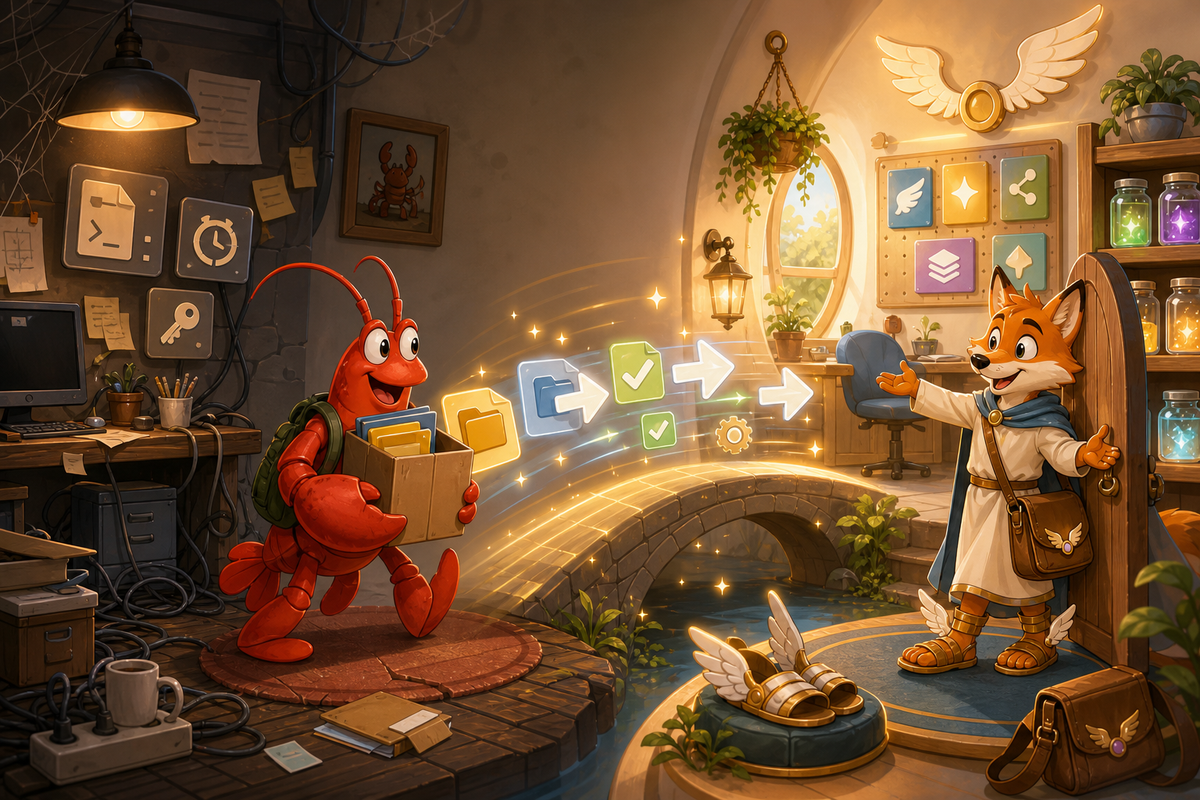
I moved my local AI agent setup from OpenClaw to Hermes this weekend.
Yes, I know. Pretty lame weekend fun. Apparently this is who I’ve always been. Anyone who knows me already knows that.
I’m writing this because I know a few technical friends are looking at Hermes and asking the same things I was: is the migration actually difficult, what breaks, and is it worth doing?
Short version: the migration was not scary, but it was not zero effort either. The core Hermes migration worked better than I expected. The real work was at the edges: project paths, cron jobs, macOS LaunchAgents, and a couple of workflows I had built around OpenClaw over time.
All in, it was about 2.5 hours for my setup. A simpler install would probably be faster. A more production-like install could easily take longer.
Why I even looked at Hermes
This started with NetworkChuck's Hermes video: https://youtu.be/QQEgIo4Juxg
That got me curious enough to look around. Then I watched another video that made the migration sound like it might be a little rough: https://www.youtube.com/watch?v=IiyCgnT7OHg
So naturally I decided to do it anyway.
I didn’t move just to chase the next thing. Weirdly enough, Hermes actually existed before OpenClaw; OpenClaw just got more attention first. What pulled me toward Hermes was the self-improvement model, the skill-building system, the memory curation, and the messaging gateway. I use Telegram heavily with my agent, so keeping that experience intact mattered. On the same Mac, using the same GPT-5.5 model, Hermes has also felt faster and less bloated than my OpenClaw setup did.
But I also wasn’t going to spend a random weekend rebuilding everything from scratch just to try it.
My setup was not a clean lab example
I wasn’t migrating a fresh OpenClaw install with one config file and nothing else attached.
My OpenClaw setup had:
- A Telegram bot I use as the main interface.
- API keys and model/provider configuration.
- Projects under the old OpenClaw workspace path.
- A daily morning summary process.
- A weekday FileWave KB article review automation.
- macOS LaunchAgents for BookStack-related tooling.
- A local web UI for KB tooling.
- Scripts and virtual environments that assumed the old directory layout.
That last bullet is where migrations usually get you. The official migration can move known config and known state. It cannot magically know every path you hardcoded six weeks ago while solving some unrelated problem at midnight.
First rule: stop the old thing and back it up
Before running anything serious, I stopped OpenClaw and made sure I had a complete backup of ~/.openclaw.
I wouldn’t skip this. If you are moving a real setup, back up the full directory first.
Something like this is the boring-but-correct move:
mkdir -p ~/HermesWorkspace/archive
tar -czf ~/HermesWorkspace/archive/openclaw-home-$(date +%Y%m%d).tar.gz -C "$HOME" .openclaw
I would also make sure OpenClaw is not still running before bringing Hermes online with the same bot tokens. One of the GitHub issues I found during research called out exactly that problem: if both OpenClaw and Hermes are trying to use the same Telegram, Discord, or Slack token at the same time, weird messaging failures can happen. Telegram in particular does not want two active consumers fighting over the same bot token.
So my advice is simple:
ps aux | grep -i openclaw | grep -v grep
If you see an OpenClaw gateway or service still running, stop it before you start Hermes with the same credentials.
The native Hermes migration command
Hermes has a native OpenClaw migration command:
hermes claw migrate
The official docs also show a dry run:
hermes claw migrate --dry-run
And a full migration mode that includes secrets:
hermes claw migrate --preset full --migrate-secrets --yes
I paid attention to --migrate-secrets. Hermes does not silently pull API keys in through a preset, which is good, but it also means you should verify your keys instead of assuming they came over.
In my case, the thing I cared about most worked: Telegram. I was able to keep using the same bot. From my side, I was still messaging the same agent. Hermes had just replaced OpenClaw behind the scenes.
The migration report for my run was clean:
Source: /Users/jlevitsk/.openclaw
Target: /Users/jlevitsk/.hermes
Migrated: 31
Archived: 13
Skipped: 19
Conflicts: 0
Errors: 0
What Hermes migrated cleanly
The core pieces came over well enough that Hermes was usable quickly.
What worked:
- Hermes installed cleanly.
- The migration ran without reported conflicts or errors.
- The Telegram bot continued to work.
- The same model/provider setup was usable.
- The agent had enough memory/profile context to feel continuous rather than like a brand new assistant.
- The gateway could run under launchd on macOS.
After the migration, hermes doctor was green for the parts that mattered to me: core runtime, config, gateway, Telegram, cron, browser, terminal, file, web, skills, memory, and so on.
I still had warnings for optional integrations I do not use or had not configured, like Discord, Feishu, Spotify, Home Assistant, some OAuth providers, and raw browser CDP. That is fine. A doctor report with optional warnings is not the same as a broken install.
What did not move automatically
The less-glamorous work started there.
Hermes did not magically turn every OpenClaw-adjacent automation into a perfect Hermes workflow. That would have been asking too much.
The migration notes said several things were archived for manual review because they do not map directly into Hermes. In my case that included things like:
IDENTITY.mdTOOLS.mdHEARTBEAT.md- workspace memory archives
- plugin config
- cron config and cron store
- hooks config
- gateway config
- model aliases
- deeper channel config
- tools config
- skills registry config
Honestly, I think that is the right call. I would rather have Hermes archive things for manual review than pretend it safely converted things that do not really translate cleanly.
The main lesson: read the migration notes. I know everyone skips that stuff. This is one time I wouldn’t.
Mine were here:
~/.hermes/migration/openclaw/20260522T223801/
The useful files were:
summary.md
MIGRATION_NOTES.md
report.json
archive/cron-config.json
archive/cron-store/jobs.json
Cron needed the most checking
Cron was where I had to slow down.
After migration, Hermes did not have my OpenClaw cron jobs as active Hermes cron jobs. The initial Hermes cron list was empty. The migration archive had a small cron-config.json, but it only showed that cron had been enabled:
{
  "enabled": true
}
The actual OpenClaw jobs were in the archived cron store:
~/.hermes/migration/openclaw/20260522T223801/archive/cron-store/jobs.json
That file was the real source of truth.
It had old jobs like:
- OpenClaw update checks.
- OpenClaw daily backup.
- Downloads organizer.
- Morning overnight work summary.
- Weekday KB article review.
- Memory dreaming promotion.
- An old disabled cleanup job.
A lot of those should not be blindly recreated. For example, a job called "OpenClaw Daily Backup" that points at ~/.openclaw is not something I want running forever after moving to Hermes.
So I rebuilt the jobs deliberately in Hermes. After cleanup, I had four active Hermes cron jobs:
- Downloads Organizer at 6 PM, using a script-only job.
- Morning Hermes overnight work summary at 7 AM, also script-only.
- Weekday KB article review at 8:45 AM on weekdays, running from the HermesWorkspace project path.
- Hermes Daily Backup at 6:15 PM.
The KB review job was the complicated one. In OpenClaw, it had a long prompt and pointed deep into the old path:
/Users/jlevitsk/.openclaw/workspace/projects/knowledge-base/tools/kb-daily-review
In Hermes, it needed to point here instead:
/Users/jlevitsk/HermesWorkspace/projects/knowledge-base/tools/kb-daily-review
It also needed the correct workdir, the right enabled toolsets, and the right Telegram delivery target for the FileWave Support topic.
Current Hermes version of that job:
Schedule: 45 8 * * 1-5
Workdir: /Users/jlevitsk/HermesWorkspace/projects/knowledge-base/tools/kb-daily-review
Delivery: internal Telegram Support topic (chat ID omitted)
Skills: creative/humanizer
Toolsets: terminal, file, web, vision, browser
I would not want any migration tool inventing that automatically. Too many real-world details live there.
Project paths were the next big cleanup
OpenClaw projects lived under:
~/.openclaw/workspace/projects
My Hermes projects now live under:
~/HermesWorkspace/projects
That sounds simple. It is simple, until you have scripts, LaunchAgents, virtual environments, logs, and cron prompts all referring to the old path.
The useful search was basically:
grep -R "\.openclaw\|openclaw/workspace" ~/HermesWorkspace/projects
Or with ripgrep:
rg "\.openclaw|openclaw/workspace" ~/HermesWorkspace/projects
In my KB project, the only OpenClaw references left after cleanup were stale historical log lines. No active code or config dependency remained.
That distinction is worth making. Don’t panic because the string openclaw appears somewhere. Figure out whether it is active config, a script, a cron prompt, a log, or historical documentation.
macOS LaunchAgents needed direct editing
This was the most Mac-specific part of my migration.
I had two LaunchAgents related to my BookStack tooling:
~/Library/LaunchAgents/com.bookstack.edit-monitor.plist
~/Library/LaunchAgents/com.bookstack.kb-web-ui.plist
They had been running tools from the old OpenClaw project path. That meant the working directory, Python interpreter, script path, stdout path, and stderr path all had to move to HermesWorkspace.
The edit monitor now runs:
/Users/jlevitsk/HermesWorkspace/projects/knowledge-base/tools/bookstack-kb-manager/.venv/bin/python
/Users/jlevitsk/HermesWorkspace/projects/knowledge-base/tools/bookstack-kb-manager/edit_monitor_daemon.py
With working directory:
/Users/jlevitsk/HermesWorkspace/projects/knowledge-base/tools/bookstack-kb-manager
The KB web UI LaunchAgent now runs:
/bin/bash
/Users/jlevitsk/HermesWorkspace/projects/knowledge-base/tools/bookstack-kb-manager/start-server.sh
Also with the HermesWorkspace working directory and logs under the HermesWorkspace project.
The verification commands were straightforward:
launchctl print gui/$(id -u)/com.bookstack.edit-monitor
launchctl print gui/$(id -u)/com.bookstack.kb-web-ui
curl -I http://127.0.0.1:8001/
In my case, the web UI returned:
HTTP/1.1 200 OK
That was the point where I started to believe the migration was actually stable.
Virtual environments: check them too
If a LaunchAgent or script points at a Python virtual environment, check whether that venv moved cleanly and still works from the new location.
For my BookStack tooling, the venv path changed from the old OpenClaw project to:
/Users/jlevitsk/HermesWorkspace/projects/knowledge-base/tools/bookstack-kb-manager/.venv/bin/python
I had to check more than whether the file existed. I needed to know whether the actual tools could run with that interpreter from the new working directory.
So I ran the project tests.
Results:
BookStack manager tests: 57 passed
KB daily review tests: 78 passed
I also did a read-only BookStack API smoke test and confirmed the selector could choose a production KB candidate without making edits.
I cared about that because the KB process touches production content. I did not want to prove the migration by casually modifying live knowledge base articles. Read-only smoke first. Full run later.
A successful migration is not the same as working workflows
This was probably the most useful technical point from the whole thing.
A migration command can succeed and your workflows can still be broken.
Those are different layers:
- Config migrated.
- Secrets available.
- Gateway running.
- Messaging works.
- Cron jobs recreated.
- Scripts point to the right paths.
- Virtual environments still work.
- LaunchAgents run from the new location.
- External APIs still authenticate.
- Production-affecting jobs are tested safely.
I checked each layer separately.
That sounds tedious. It was. But it is also why the move only took 2.5 hours instead of turning into a week of weird failures.
The cleanup question: what to do with ~/.openclaw
The official migration notes recommend running cleanup so Hermes does not stumble into old OpenClaw state and get confused.
That makes sense. But I would add one caution: don’t run cleanup while OpenClaw is still active. I found GitHub issues describing bad outcomes when cleanup or old OpenClaw processes interacted with still-running state. Even if those are fixed or version-specific, the safer pattern is obvious:
- Stop OpenClaw.
- Back up
~/.openclawyourself. - Run the Hermes migration.
- Verify Hermes.
- Only then archive or remove the old OpenClaw directory.
By the end of the migration, I removed my live ~/.openclaw, but only after confirming active workflows no longer depended on it and keeping archives around.
I wouldn’t start with deletion. Rename or archive first:
mv ~/.openclaw ~/HermesWorkspace/archive/openclaw-home-retired-$(date +%Y%m%d)
Or keep the tarball and leave the directory alone until you have seen a few normal scheduled runs.
Boring wins here.
My post-migration checklist
If I were doing this again, this is the checklist I would use.
Before migration:
# Confirm OpenClaw source exists
ls -ld ~/.openclaw

# Back it up
mkdir -p ~/HermesWorkspace/archive
tar -czf ~/HermesWorkspace/archive/openclaw-home-$(date +%Y%m%d).tar.gz -C "$HOME" .openclaw

# Make sure old gateway/processes are stopped
ps aux | grep -i openclaw | grep -v grep
Preview migration:
hermes claw migrate --dry-run
Run migration:
hermes claw migrate
If you want secrets included and you understand what will be imported:
hermes claw migrate --preset full --migrate-secrets --yes
Then verify Hermes:
hermes doctor
hermes status --all
hermes cron list
hermes gateway status
Review the migration output:
ls -la ~/.hermes/migration/openclaw
Open the newest migration directory and read:
summary.md
MIGRATION_NOTES.md
report.json
archive/cron-store/jobs.json
Search for old paths:
rg "\.openclaw|openclaw/workspace" ~/HermesWorkspace ~/.hermes ~/Library/LaunchAgents
Check macOS LaunchAgents if you use them:
launchctl print gui/$(id -u)/your.launchagent.label
Check local services:
curl -I http://127.0.0.1:8001/
Check cron deliberately. Don’t copy old jobs over blindly. Ask whether each old job still makes sense in a Hermes world.
What I would tell another technical person
If your OpenClaw setup is basic, Hermes migration is probably pretty easy.
If your OpenClaw setup has real workflows hanging off it, budget time for cleanup. Not days, probably. But not five minutes either.
The main things I would check are:
- Are both systems trying to use the same Telegram or Discord bot token?
- Did secrets actually migrate, or do they need to be re-added?
- Did cron jobs become Hermes jobs, or were they only archived?
- Do old cron jobs still point at
~/.openclaw? - Do project scripts assume the old workspace path?
- Do LaunchAgents, systemd units, PM2 processes, or shell scripts point at old paths?
- Do virtual environments still work after moving projects?
- Are any production-touching workflows tested read-only first?
- Did you verify with
hermes doctor,hermes cron list, and actual service checks?
The migration command got me most of the way there. The rest was normal technical housekeeping.
That is not a criticism. Honestly, I prefer it that way. A migration tool that admits what it archived is safer than one that pretends to understand every custom workflow I ever built.
Was it worth it?
It’s early, but based on the first day, I’m glad I made the move.
Hermes feels cleaner. It’s responding faster on the same hardware and model. The skills system fits how I want an agent to improve over time. The memory curation feels more intentional. And after working through the path and automation cleanup, I’m about 99% moved over.
The remaining 1% is the kind of thing I would leave for observation: let the weekday cron jobs run, watch the gateway after a reboot, make sure the daily summary behaves, and keep the OpenClaw archive around for a bit.
If you are curious about Hermes, I think it is worth trying. Just treat the migration like a real systems change, not like importing bookmarks into a browser.
Back up first. Dry run. Read the report. Rebuild cron carefully. Search for old paths. Test the pieces that matter.
Then enjoy your very lame, very satisfying weekend project.
References
- Hermes Agent: https://hermes-agent.nousresearch.com/
- Hermes migration guide: https://hermes-agent.nousresearch.com/docs/guides/migrate-from-openclaw
- Hermes GitHub repository: https://github.com/NousResearch/hermes-agent
- GitHub issue on stopping OpenClaw before sharing migrated bot tokens: https://github.com/NousResearch/hermes-agent/issues/7907
- GitHub issue discussing migration/gateway failure modes: https://github.com/NousResearch/hermes-agent/issues/5191
- GitHub issue discussing cleanup risk while OpenClaw is still running: https://github.com/NousResearch/hermes-agent/issues/8596
- Community migration tool/reference implementation: https://github.com/0xNyk/openclaw-to-hermes